
What is My Disney Experience?
Gearing up for Disney World? Wondering what’s up with My Disney Experience? No worries, you’re in the right spot! Let’s chat about all the cool stuff you can do with it.
Hey Disney Vacationers! Let’s get real — planning a Disney World vacation is exciting, but it also comes with a lot of moving parts. Park tickets. Dining reservations. Lightning Lane Multi Pass. MagicBands. Mobile ordering. It’s a lot. That’s where My Disney Experience comes in.
If you’re wondering what is My Disney Experience and why you need it, I’ve got you covered. I’ve used it on more trips than I can count, and I can tell you firsthand — this tool will either be your best friend or your biggest frustration. But when you know how it works? It’s a game changer.
What Is My Disney Experience?
What You Can Do With My Disney Experience
Here’s a simple breakdown of what the app can do:
| Feature | What It Does |
|---|---|
| Buy Tickets | Purchase and link park tickets directly in the app |
| Park Reservations | Make reservations for each park day (if required) |
| Dining Reservations | Book, modify, or cancel dining reservations |
| Lightning Lane Multi Pass & Single Pass | Book and manage Lightning Lane return times |
| Wait Times & Park Hours | View live ride wait times, park hours, and closures |
| Resort Reservations | See hotel details and check-in status |
| Digital Room Key | Unlock your resort room with your phone |
| Mobile Food Ordering | Order ahead at quick-service restaurants |
| PhotoPass Photos | Access ride and photographer images |
| Virtual Queues | Join virtual lines for select attractions |
| MagicMobile | Create digital park tickets for your phone’s wallet |
| Link Friends & Family | Share plans with others and manage group bookings |
Getting Started with My Disney Experience
Navigating the magic of Disney parks starts with setting up My Disney Experience. Whether you’re booking park reservations, managing dining plans, or securing Lightning Lane passes, the app is your ultimate planning companion. To ensure a seamless trip, follow these simple steps to get started and unlock all the features My Disney Experience offers.
Step 1: Create Your Account
- Create an account at DisneyWorld.com
- Please note if you have an account is Disney via services like Disney+, this will be your My Disney Experience log in credentials
Step 2: Add the App to Your Mobile Device
- Download the app from the App Store or Google Play.
- Sign up using your email.
Step 3: Link Your Tickets and Reservations
- Add park tickets, hotel reservations, and dining plans by linking them through the app.
- Tip: If you’re traveling with a group, link all your accounts to make Lightning Lane bookings easier.
Step 4: Review Step by Step Set-up Guides
- How to link your My Disney Experience accounts guide
- How to link your Disney World Package guide
- How to link your Disney World ticket guide
- How to put your Disney ticket in your Apple or Google Wallet guide
Using My Disney Experience With a Group
Traveling with family or friends? Here’s how the app keeps everything in sync:
- One person can manage all the plans (everyone should still have their own My Disney Experience Account)
- You can link individual accounts and share reservations
- Everyone sees the same dining, Lightning Lane, and park plans
Stick to one main planner if possible. It makes things way easier.
What About MagicBands?
The app and MagicBands work together, but the app now does almost everything a MagicBand can do. You can:
- Link your MagicBand in the app
- Use it to enter parks, access Lightning Lanes, and charge purchases (if staying on property)
- Deactivate a lost band instantly
No MagicBand? No problem. Just use the app and MagicMobile.
Can You Use It Before You Arrive?
Absolutely — and you should. It’s definitely worthwhile to become familiar with how the app operates. It will save you a lot of time and frustration while you’re in the parks.
Before your trip, use the app to:
- Link your reservations
- Book dining up to 60 days in advance
- Check park hours and wait times
- Join a virtual queue (on your travel day)
- Book Lightning Lane Multi Pass (once your window opens)
- Browse menus and see ride info
Common Mistakes to Avoid with My Disney Experience
Even Disney pros mess this up sometimes. Here are the most common mistakes I see — and how to avoid them:
- Waiting too long to download the app
→ Download it early and get familiar before your trip. - Not linking all tickets and reservations
→ Double-check that everyone’s tickets and park reservations are connected to the right account. - Using different accounts in a group
→ Stick with one central planner to book Lightning Lanes and dining. - Missing key booking windows
→ Dining opens 60 days out. Lightning Lane Multi Pass opens 7 days before check-in if you’re staying at a Disney resort (3 days out otherwise). Set reminders. - Forgetting to refresh
→ If a reservation isn’t showing, pull down to refresh. The app glitches sometimes. - Skipping app updates
→ Keep the app updated, especially the week of your trip. Disney rolls out changes frequently.
Pro Tips for Using My Disney Experience
- Set Up Notifications: Enable push notifications for ride status updates and dining reminders.
- Book Early: Popular rides and dining spots fill up fast. Secure them as soon as possible.
- Practice the App: Spend time navigating the app before your trip to avoid surprises.
- Wi-Fi Matters: Disney parks offer free Wi-Fi, but it can be spotty. Use cellular data if necessary.
Ready to Unleash the Magic?
Here’s the truth: you need My Disney Experience to survive a Disney World trip in 2025. It’s not optional. It’s the key to shorter lines, better meals, smoother days, and less chaos. The more time you spend learning the app before your trip, the more fun you’ll have when you get there.
I use it every time I go. I mobile order lunch while I’m in line for a ride. I refresh dining reservations until something opens up. And I always know what’s happening next — because it’s all in the app.
Want help booking your vacation? Let me know — I’m happy to help.

20% Off site-wide, plus Free Shipping on all orders of $65+
Over 75+ Designs! Your next park shirt is just a click away











Looking To Book Your Dream Disney Vacation?
Your Disney vacation should create unforgettable memories that last a lifetime.
Whether you’re a first-time Disney vacationer or looking to plan your next magical adventure, it isn’t enough just to go on a Disney vacation. We want you to talk about your vacation for years to come and create memories you’ll cherish forever. Vacation is calling! Are you ready to answer?


Meet the Author: Nate Bishop
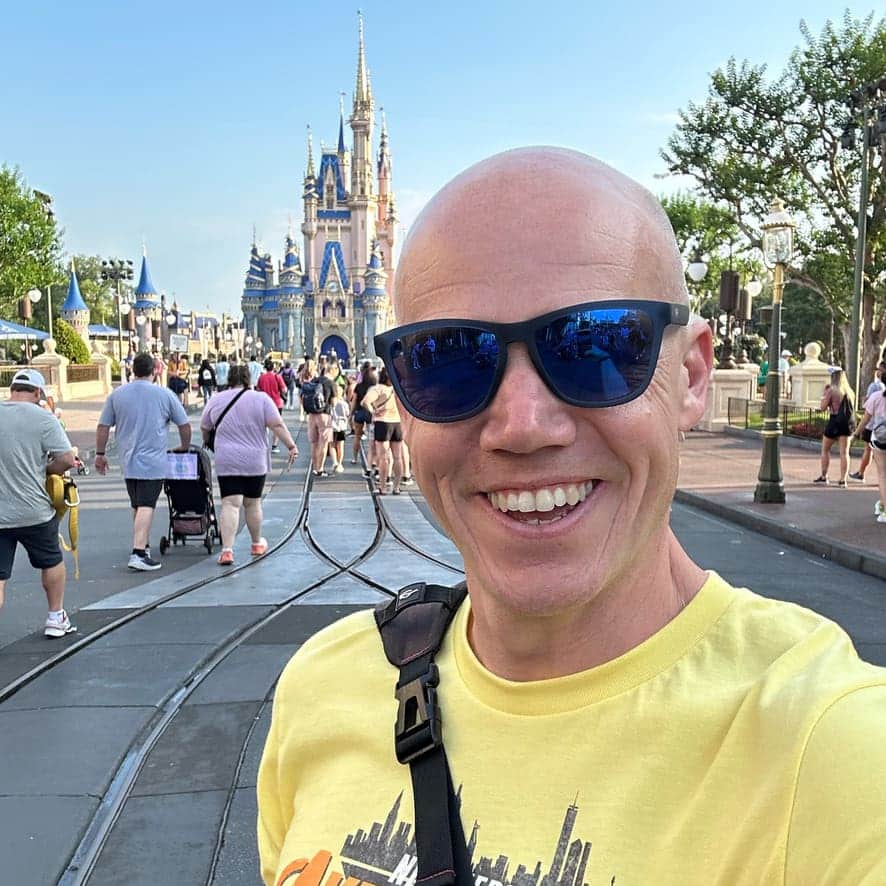
I’m a die-hard Disney fan with 38 years of visits under my belt, having stepped into Disney World 120+ times. Proud to be a Disney Annual Passholder, a Vacation Club member since ’92, a Castaway Club Member, and a runDisney enthusiast. Oh, and I’ve graduated from the Disney College of Knowledge. Need Disney insights or planning tips? I’m your guy!
LAST UPDATED: